Saved (fillable) forms javascript error
Saved PDF error on Adobe
Saved fillable pdf displays an error on Adobe
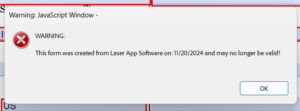
*This is a warning that the form may be outdated after the file has been saved/opened for more than several days. Rep will need to check with vendor for current forms.
The message can be disabled by:
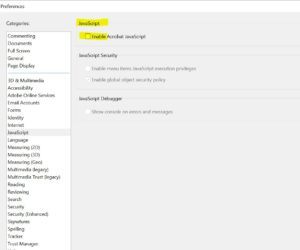
To remove pop up message,
disable the message from within the Adobe application. In Adobe, it should be under Edit -> Preferences -> Javascript and remove the check on the box “Enable Acrobat Javascript” and click OK.