
Change Database connection – Laserapp Enterprise
How to change Database connection – Laserapp Enterprise
Laserapp Enterprise allows users to change DB connection if a shared drive has been setup to share clients DB.
Steps to change DB path,
Go to Utilities – Network and Database – Connect or Change Database

Choose “Connect to Existing folder Database” and continue

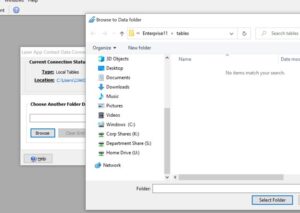
Click “Browse” and look for your tables folder in the network. Once you find it, single click on the folder and click “Select Folder”
Click continue and put a check on the box for the next connection.
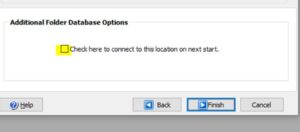
LaserApp will connect to this location and pull out the clients data.
