Suitability Questions Configuration
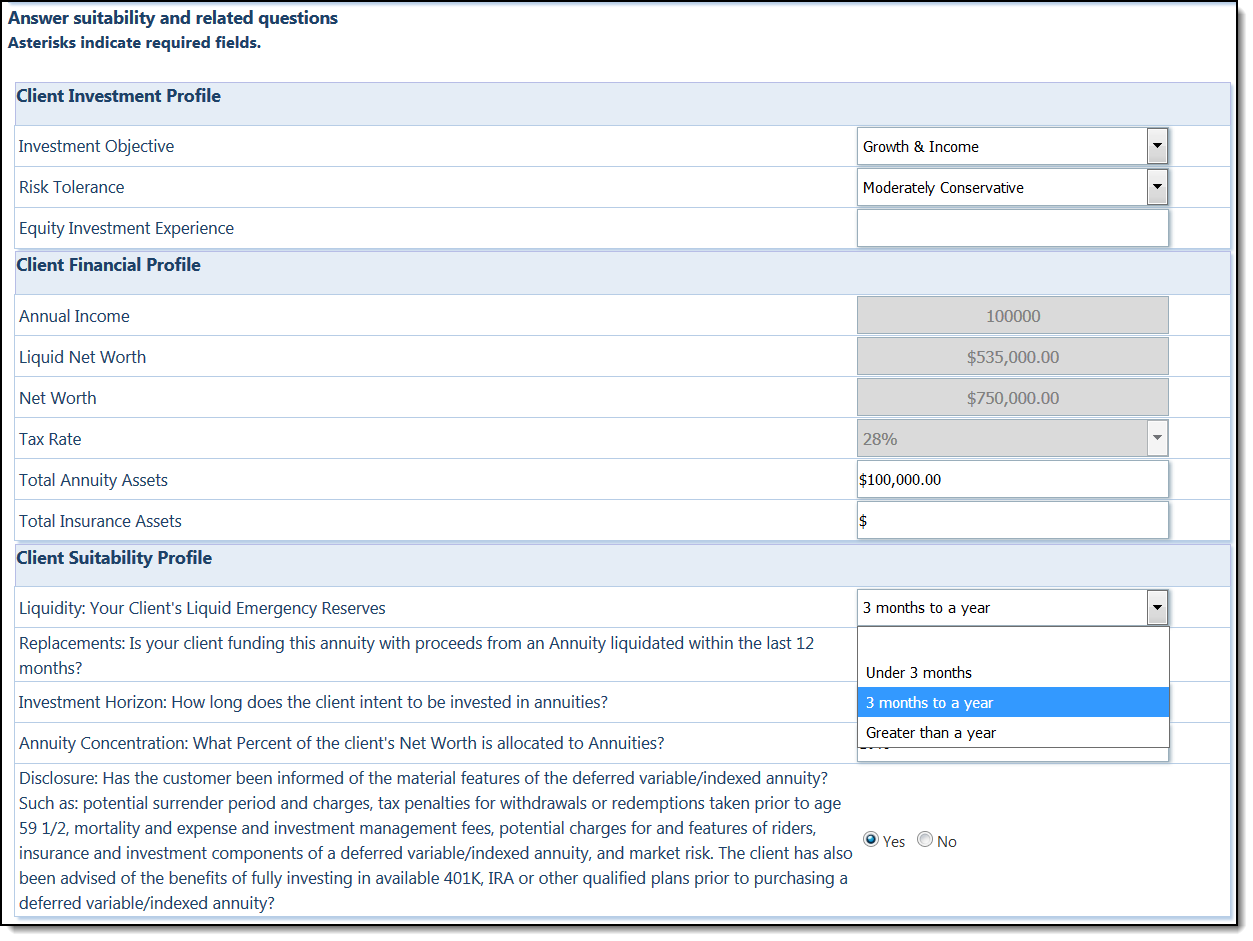
AFFIRM users can leverage our Question Management self-service tool to create custom suitability questions on demand. During order entry, the Suitability tab displays all configured suitability questions that apply to the new annuity. Question responses can be set and configured to display in dropdown fields, radio buttons, or text fields. Question responses may additionally have a default option, based on the Distributor’s configuration.
There are also advanced configuration options available, including required questions, error messages based on business rules, suitability scoring, reflexive questions, and validation rules. AFFIRM’s suitability scoring allows users to assign a score to each answer, which the AFFIRM system will calculate to run set business rules. For example, if a user selects that they are over a certain age, the AFFIRM system can display questions that apply to that age group, or hide questions that do not apply.
Users can also make questions specific to certain criteria, such as jurisdictions or product types. Reflexive questions can additionally be set to prompt specific questions or options, based on the selection made. Validation rules further assist the suitability process by generating errors upon certain user selections.